


wheezy
Community Member
-
Joined
-
Last visited
-
@Steve what part is the voltage regulator in here? 12V comes in on the left side of the picture, straight into the white bimetal strip, through the loops, and ends at that little tap in the upper right section, which then goes to ground in the black wire on the right...I think? Is the VR up in that little metal tab at top right where the white wire is soldered on?
-
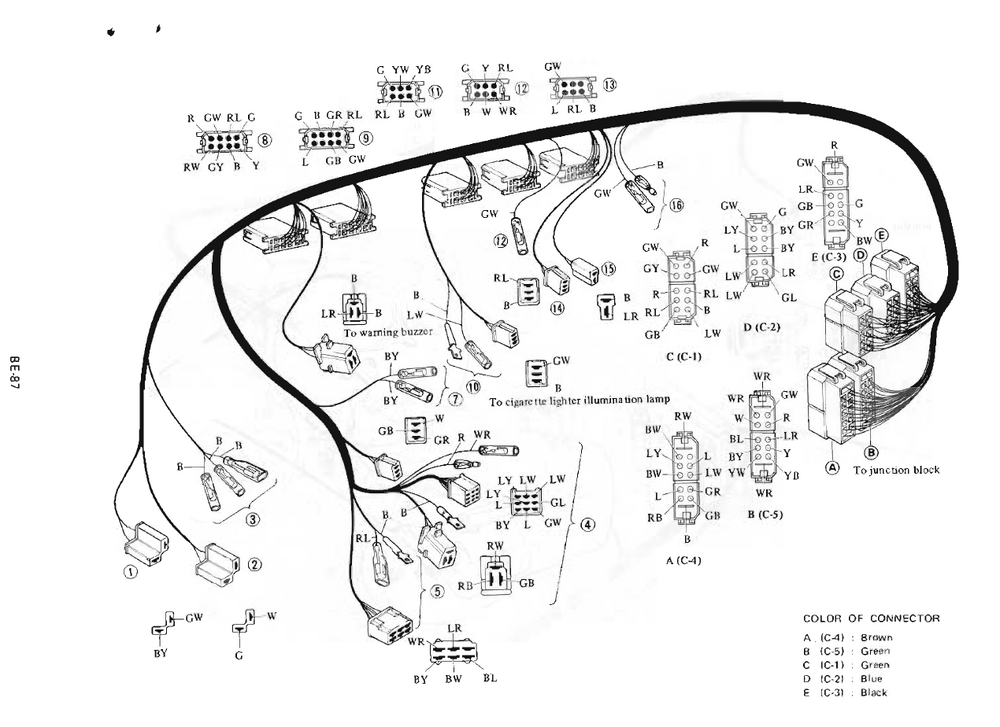
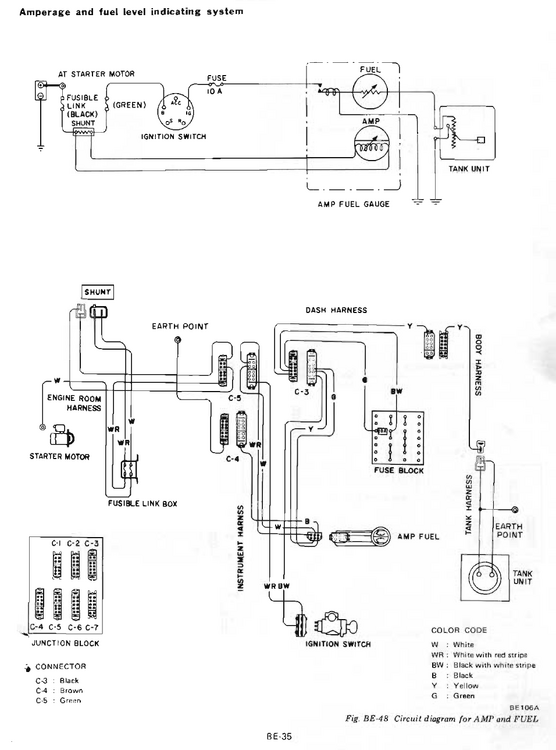
@Zed is that diagram from the FSM? I'm guessing for the 280 though. I have the 260 FSM and its so full of typos, errors, mislabeled wires etc I don't really trust much, but it is still very useful. A diagram like you posted would be great but doesn't seem to exist...these are the closest two I can find in my book, but no chart showing how multiple devices might share a wire like that Gonna poke around the 12V and ground stuff if I get a minute today. I'm not convinced the gauge itself isn't just toast but then also none of the gauges work right, so one thing at a time.
-
-
-
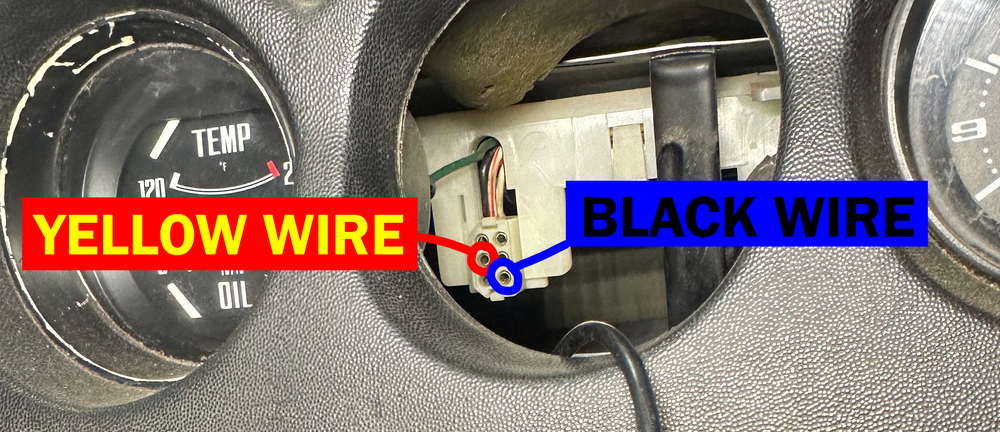
Hi all, hoping to get some help with a fuel gauge that doesn't work. PO had some fun with the wiring so I wouldn't rule anything out. What I've tried so far: Installed new sender and measured resistance across the terminals, ~75 ohms with 1/3ish tank of fuel so that checks out. Checked resistance at the connectors by the taillights, passenger seat, junction box - all 75ish ohms so wiring/connections all good afaik. All fuses under the glovebox are good. Pulled the gauge out completely. On bench, I applied 12v to the yellow wire and grounded the black wire, gas needle moves, so gauge appears good. Which brings me to the dash harness. I've attached a picture with the two pins that run the fuel gauge (the mates to the two pins I tested on the gauge harness), yellow wire is the signal from the sender and to my knowledge black is just ground. But when I use the voltmeter things don't seem to behave the way I expect. These tell me the black wire should be good as a ground: Continuity between black wire and other grounds (cig lighter barrel and HVAC panel frame) +12V between cig lighter positive and black wire But the yellow wire is where I'm confused Continuity between yellow and black wire. No resistance, multimeter just beeps 75 ohms between yellow wire and other grounds (cig lighter, hvac panel screws) I'm just spinning in circles. Black wire is just as good a ground as the bare metal frame inside the dash. The yellow wire sends 75 ohm signal to that frame just fine, but when I try to send that signal to the black wire it just beeps with continuity. Any advice where to go from here? Possibly relevant: I don't know if the ammeter works either. On bench, the needle jumps if I apply 12v to the two white wires with an LED inline, so the gauge works, but when the car was running I could never tell if the needle was moving or not...it was always right at or extremely close to the center/zero mark, I just don't know how its supposed to look under normal operation. Also maybe relevant: Oil pressure gauge and tachometer both move sometimes, but not reliably. Very rarely they'll read the expected range, but more often just reads nothing. Water temp gauge has never read anything. Speedo does work. All gauge illumination works.
-
Looking for a complete L28ET to build and swap into my 260. If it has a 5 spd would be even better, but trans is not required. Knowing it runs would never hurt. Found a few on local classifieds but nobody responds to messages! Willing to travel to pick up. I’m in Alberta, so west half of Canada or anything N of Vegas or W of Nebraska is probably doable. Shipping not out of the question either for reputable sellers
-
Iirc three M5 machine screws in the armrest area...12mm length or so


