


dpar
Community Member
-
Joined
-
Last visited
-
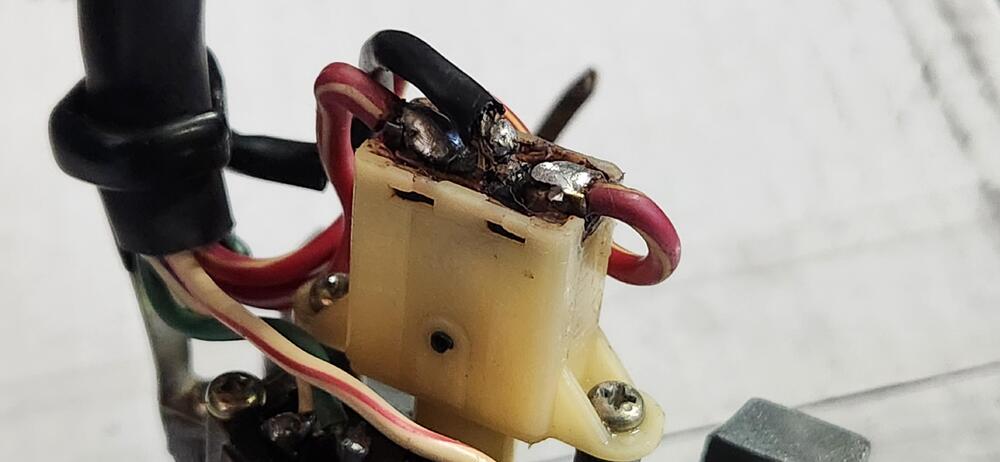
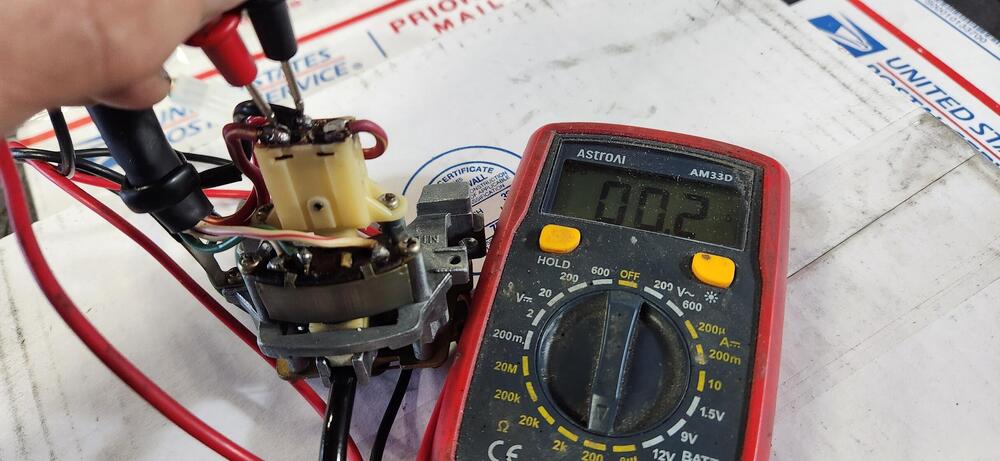
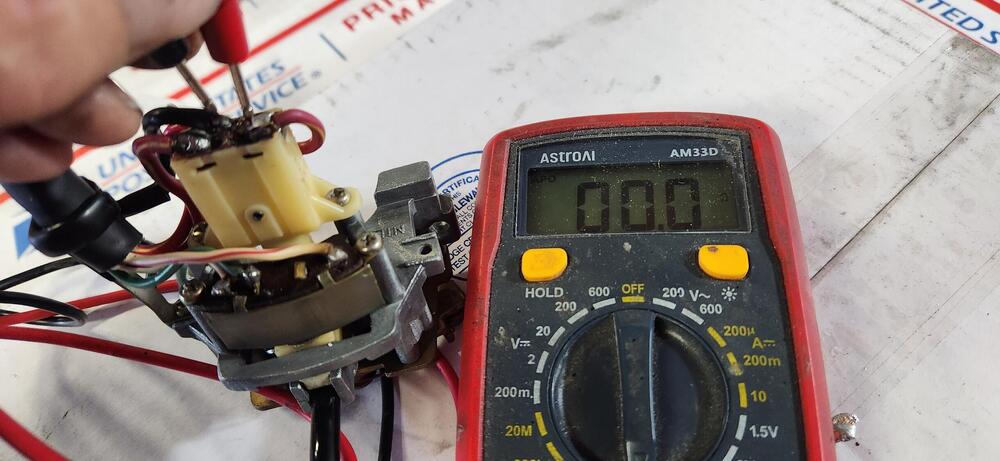
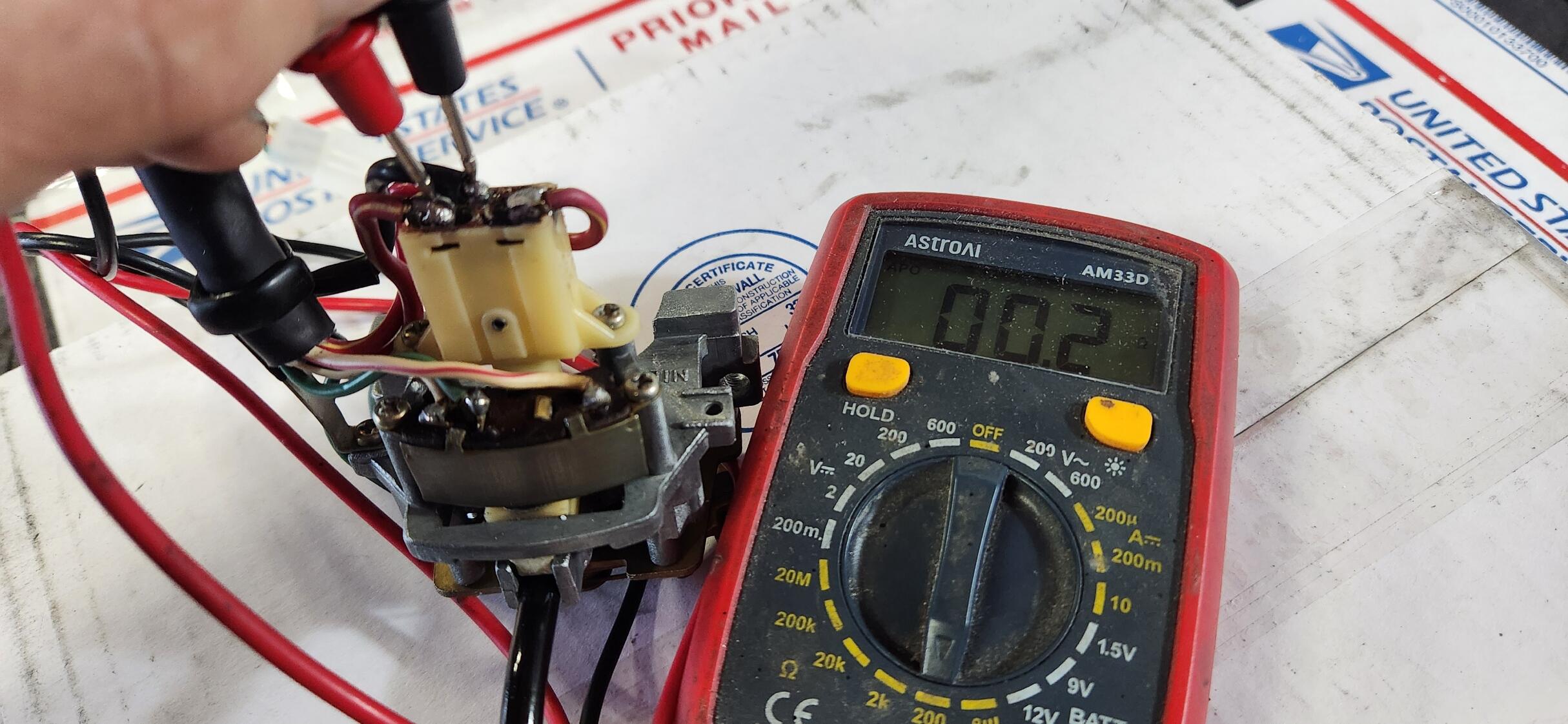
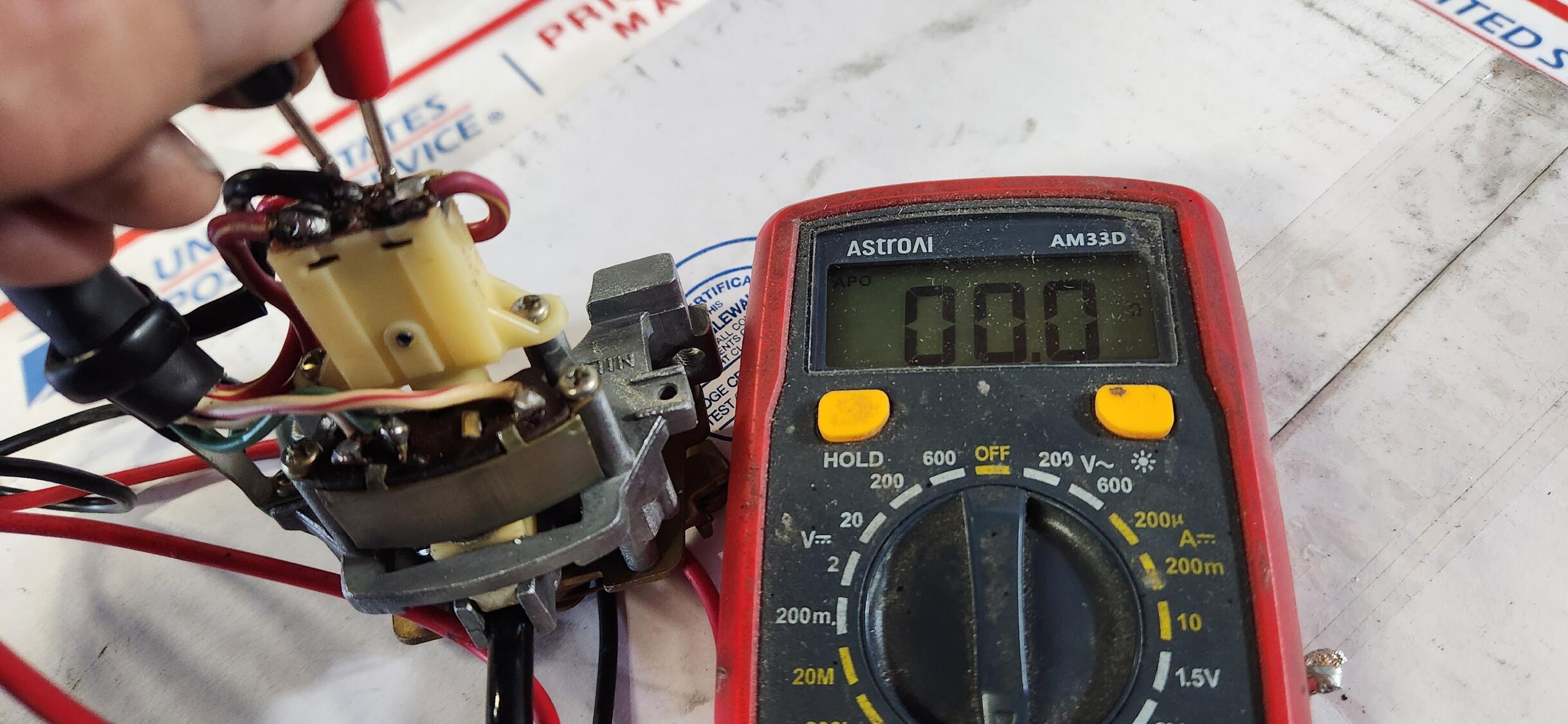
The first picture from the left shows a completed repaired hi- lo beam switch circuit board repair. The next 2 pictures show continuity on both of the hi- lo beam switch closed circuits. In the mail on the way I have a parts turn signal switch with broken hi- lo beam switch circuit board. In the near future I can detail my repair protocol if there is interest out in Datsunland.
-
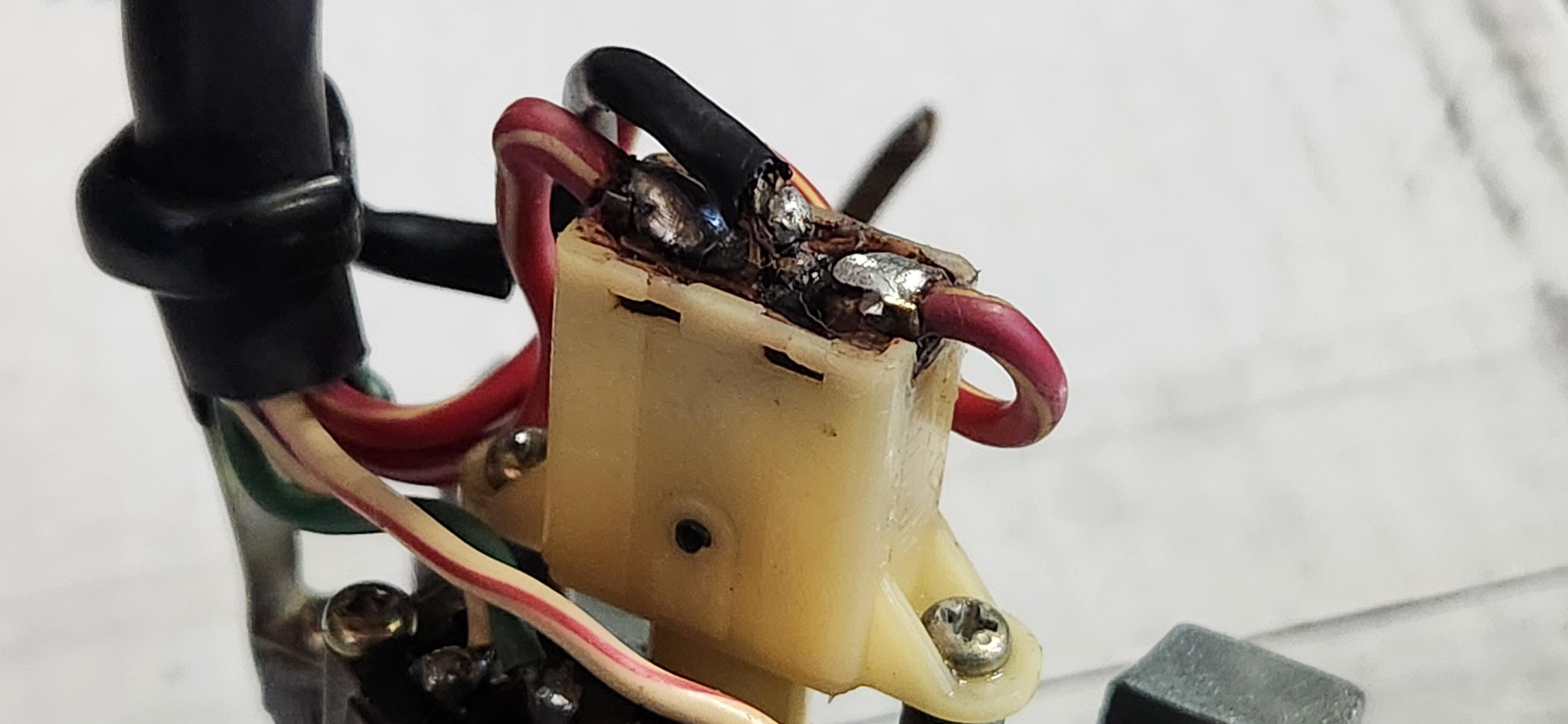
Thank you. I don't have a website. But I do have a switch with a repaired circuit board that I can shoot close up pix of and detail the repair process so folks at home can attempt the repair themselves. I wouldn't dream of trying to capitalize on something I am passing along for the fun of it. Stay tuned.
-
NECROPOST ALERT!!!!!!!!! A broken hi- lo beam switch housing circuit board CAN be repaired so it will work correctly without the switch butterfly moving out of position between switch plunger detents. One just needs a steady hand and more importantly, a command of various epoxies and repairing compounds available retail to ascertain what is most apropos for your situation. Also, depending on the severity of the circuit board damage, the repair may necessitate making the circuit board unremovable from the housing. It's a Datsun. there is always a way...
-
-



Important Information
By using this site, you agree to our Privacy Policy and Guidelines. We have placed cookies on your device to help make this website better. You can adjust your cookie settings, otherwise we'll assume you're okay to continue.
Account
Navigation
Search
Configure browser push notifications
Chrome (Android)
- Tap the lock icon next to the address bar.
- Tap Permissions → Notifications.
- Adjust your preference.
Chrome (Desktop)
- Click the padlock icon in the address bar.
- Select Site settings.
- Find Notifications and adjust your preference.
Safari (iOS 16.4+)
- Ensure the site is installed via Add to Home Screen.
- Open Settings App → Notifications.
- Find your app name and adjust your preference.
Safari (macOS)
- Go to Safari → Preferences.
- Click the Websites tab.
- Select Notifications in the sidebar.
- Find this website and adjust your preference.
Edge (Android)
- Tap the lock icon next to the address bar.
- Tap Permissions.
- Find Notifications and adjust your preference.
Edge (Desktop)
- Click the padlock icon in the address bar.
- Click Permissions for this site.
- Find Notifications and adjust your preference.
Firefox (Android)
- Go to Settings → Site permissions.
- Tap Notifications.
- Find this site in the list and adjust your preference.
Firefox (Desktop)
- Open Firefox Settings.
- Search for Notifications.
- Find this site in the list and adjust your preference.