Heavy Z
Community Member
-
Joined
-
Last visited
-
Yep, that's where I got mine.
-
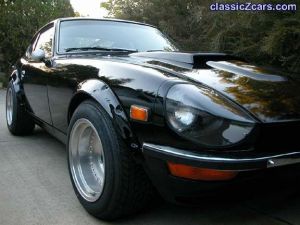
I do have coilovers in back but the rims/tires would fit without them. Good luck with your Z.
-
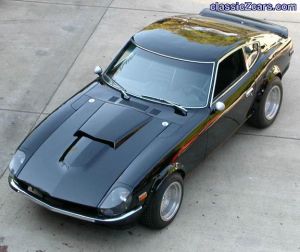
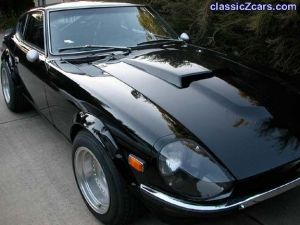
Thanks everyone for the comments, I appreciate the kind words and will try to answer your questions: carguy - yes, the old corvette style had a hand in influencing how this car was planned. Also, the 327 in it is from a '67 vette (although the only part still 'vette' on it is the block :classic: ) so the scoop made sense to me. CZCar - I'll post more shots of the scoop soon and no I didn't build it, it's from a '69 comet. dero - this car hauls arse. There are many faster Z's than mine, I'm happy with the 400 or so hp I've got and have a 100 shot left to install for added kicks. v12horse - I think that's what the mirrors are called(made of spun aluminum), I got them from victoria british. My rims are 15x8 all the way around, no spacers, with yoko avs 205/60/15 front and 225/60/15 rear. Thanks again and good luck with you Z's everyone.
-
-
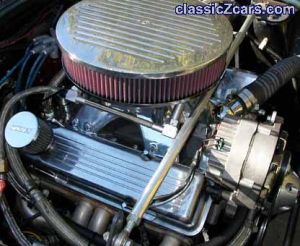
My engine weighs 35 lbs more than an L6, not much but I moved the battery to the back to offset the difference. In short, the handling characteristics feel no different than my old inliner.
-
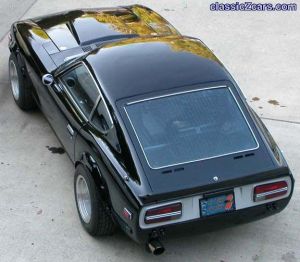
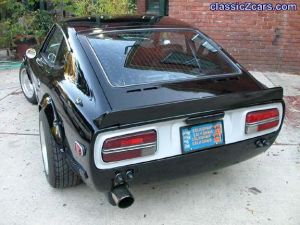
Hello everyone, I wanted to share some pics of my '71 240Z. It's running a 327 V8/5 speed. I know purists won't like it much but my plans went in a different direction: More pics click here
-
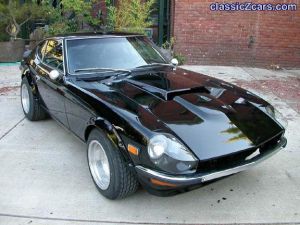 Thanks everyone for the comments. I got the spoiler from MSA.
 -
-
-
-
-
-