Skip to content

Anybody up for a new Z shirt? PART TWO!

Featured Replies

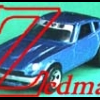
I go to car cruise-ins a lot and they sell T-shirts with cars on them, so to me and so many others, a car shirt is a car shirt, no matter what car is on it. And on every shirt, it tells you the name of the car, and maybe some other slogan.

BTW, my nephew (he's 15) was here today, and I showed him the picture, and he said it was a 1969 Camaro.

  • Author
.

BTW, my nephew (he's 15) was here today, and I showed him the picture, and he said it was a 1969 Camaro.

OK, NOW I'm insulted! LOL! Actually, 69 Camaros are second or third on my list of fave cars next to 240Z's, depending on what kind of mood I'm in on any given day (Shelby Cobras are my other one), so that's kinda funny...there's no comparison in real life or in the way I would draw them. I'm sorta getting the feeling you won't be a customer when I get this thing off the ground, Tomohawk, but I'm enjoying your contributions to this thread anyway!

-Mikey

I like the caricature of the car, maybe a "Z" or a 240z graphic would clear up any confusion. I stated before that I was a car guy in general and a member of a local MG club. We do business with a company called "Triple-C" for regalia and the like. If you go to there website and search for "mousepad" you will see the caricatures of british cars. They have no writing on them and I think that would make a cool shirt as well. The web address is www.triple-c.com/ The search box is about half way down and on the right side. Where can I find info on the previous t-shirt?

Thx

Those Mini Cooper caricatures look like 350Zs!

Good thing those aren't shown in public where lots of people look at them. Only you get to see it.

Create an account or sign in to comment

Remove Ads

Important Information

By using this site, you agree to our Privacy Policy and Guidelines. We have placed cookies on your device to help make this website better. You can adjust your cookie settings, otherwise we'll assume you're okay to continue.

Account

Navigation

Search

Search

Configure browser push notifications

Chrome (Android)
  1. Tap the lock icon next to the address bar.
  2. Tap Permissions → Notifications.
  3. Adjust your preference.
Chrome (Desktop)
  1. Click the padlock icon in the address bar.
  2. Select Site settings.
  3. Find Notifications and adjust your preference.