Skip to content

engine won't turn over

Featured Replies

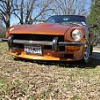
My '73 240z with manual trans was running great, but all of a sudden I couldn't get the engine to turn over at all, it has happend once before, but i got a friend with a honda s2000 to jump me off just fine. I have replaced my started and cylinoid, and the batter is good please help!!!

dose it have oil in it?

Dose the bat have a good connection? How long has it been sitting?

Have you tested your Alternator? If it's not charging like it should then it's probably just running off the battery, then once the battery runs out, no more start :) just a thought.

Good luck

I have a 75 280 and recently had similar troubles. The problem was in the neutral safety switch (inhibitor switch). The car is an automatic but there may be one on manual models too. When this switch goes bad, it will sometimes allow the car to start - sometimes not. I could sometimes start the car by moving the gear selector to neutral or drive to start it (play with it). I fixed the problem by taking the switch off and cleaning the connections. They were covered with 30 years of crud. Hope this helps.

  • Author

I have replaced the alternator about 4 1/2 months ago, and the car does indeed have oil. I have charged the battery and even switched it out and that is not the problem. Where is the neutral switch located at?

There is no neutral safety switch or inhibitor switch on S30's with manual transmissions. First thing I would check is the ignition relay.

So if someone were to jump you right now, it would turn over and start?

  • Author

thanks for all the help!!, but the problem was that my positive battery cable was corroded under the two bolts, i replaced it and it fired right up. It was that simple

Create an account or sign in to comment

Remove Ads

Important Information

By using this site, you agree to our Privacy Policy and Guidelines. We have placed cookies on your device to help make this website better. You can adjust your cookie settings, otherwise we'll assume you're okay to continue.

Account

Navigation

Search

Search

Configure browser push notifications

Chrome (Android)
  1. Tap the lock icon next to the address bar.
  2. Tap Permissions → Notifications.
  3. Adjust your preference.
Chrome (Desktop)
  1. Click the padlock icon in the address bar.
  2. Select Site settings.
  3. Find Notifications and adjust your preference.