Mark86T
Community Member
-
Joined
-
Last visited
-
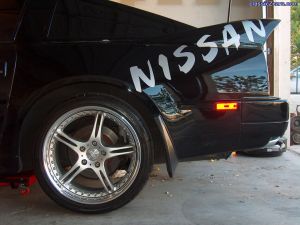
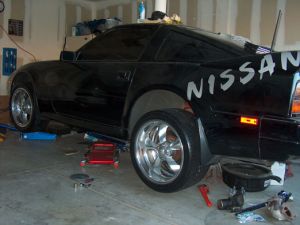 My 86T is a work in progress but the new wheels & tires are on! 245/40 front & 285/35 rear Yokohama AVS Sport for my 86 Z31 turbo.
 -
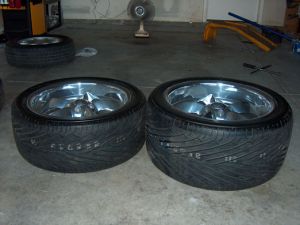 245/40 front & 285/35 rear Yokohama AVS Sport tires for my 86 Z31 turbo.
 -
-
-
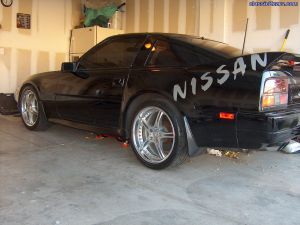 Fat wheels on Z31 turbo
 -
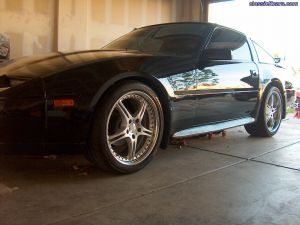 18x10 wheels on my Z31 turbo
 -
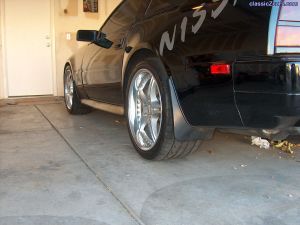 SSR 18x10 wheels with 285/35s. Can you say FAT!
 -
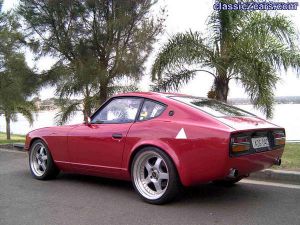 Nice car! What size & offset/backspacing are the wheels? They look great on the car!
 -
-
-
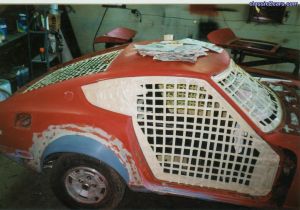 I removed the seats, carpet & such. I had a perfect original interior & did not want to touch let alone remove the dash & such. I did tape off the interior. This was double protection from any spray reachingmy interior. Can you say anal?
 -
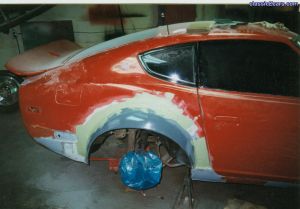 I used an epoxy between the flare & the body but over the flare I use Duraglass. It is a very fine fiberglass mixed with a type of body filler(I'm guessing here). It is extremely strong & water proof, unlike bondo, which allows moisture to get behind the bondo & push out the body work. It is difficult to work with & thin layers need to be applied due to the strength of it. You will sand through your fiberglass easily before any of the Duraglass comes off, it's that tough. I had to build up thin layers and sand then down in between. Then I applied some thin bondo to fill in the sanding/scratch marks from working with the Duraglass. No problems with cracking though.
 -
-
-