jtpaintballwdp
New Member
-
Joined
-
Last visited
-
Winter time bump!
-
As title states looking for an 82-83 280zx turbo Dizzy with driveshaft. Thanks! -Kyle
-
Indeed, I have read that thread. Most of it is common sense to me, and I have all the required stuff. I wasnt planing on going down and throwing a new battery in and cranking away!
-
Will do. Going down this weekend to go over it and hopefully get it started. Its been sitting for a bout 10 years at this point, though before it was parked it was moving under its own power.
-
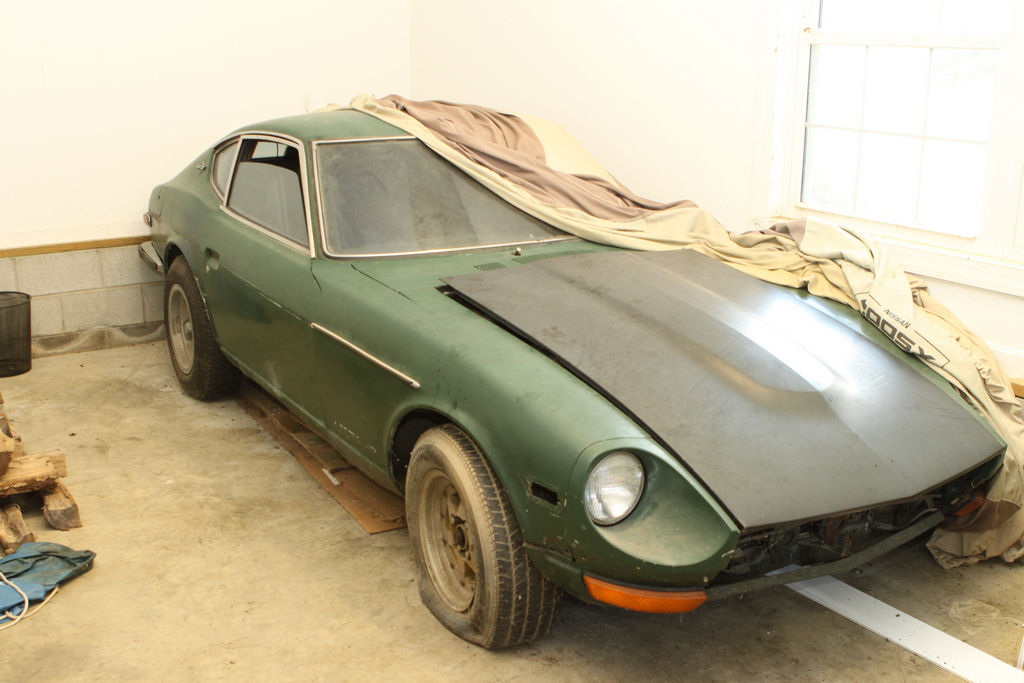
Hey all, figured I would introduce my self! My name is Kyle and I'm from Aldie, VA (about 45min-1hr west of DC). The first car I bought was a 1982 280zx about 10 years ago. It was a 1 owner car is pretty decent shape, and I had HUGE plans for it. Alas I was a high school student with no money and the car rotted faster than I could fix it. Next up was my '92 Miata that I had bought to be kind of a DD while I worked on the Z, But as I said the Z was getting worse and worse until I finally sold it as parts to a friend. Then it was the Miata's turn to get the fun treatment. It was turbo'd then I bought a brand new STi with hopes of turning the Miata to an all out powerhouse. Again things changed and I ended up selling the STi and buying a house leaving me with the Miata (now NA again). As the Miata sits now, its pretty much stock except suspension, roll-bar, wheels/sticky tires, and a Mega Squirt standalone ECU. Its a blast to drive albeit slow. Now that I have a house with a garage I figured it was time to get back to my real passion: Datsun's. My dad, who used to restore 240's for a living has a few in various states restoration (or lack thereof), including one true Fairlady Z. Unfortunately the Fairlady wasn't an option so I'm picking up a 1970 that is 99% rust free, except a few spots of surface rust, and the typical Battery tray rust. Don't get me wrong, the car needs a lot of work, but the rust was the part I didn't want to deal with. Hopefully I can get some good info here! Here is a shot how it sits now: