Fuel Pressure Regulator Setting - Carburetor Central - Classic Z Car Club Skip to content

Fuel Pressure Regulator Setting

Featured Replies

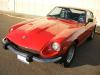
Hey everybody, I have a '74 260Z (the previous owner dropped in an L28-P79) and he put in these fuel pressure regulators: http://www.thezstore.com/page/TZS/PROD/PFFC05/11-2986

I was wondering if any of you have these and happen to know what a good setting on them is. They're set on 4.5 psi at the moment.

Thanks!

  • Author

Okay, cool. Thanks. What are some symptoms that the pressure is too high?

If the line pressure is too high - it will force the needle valves in the float chambers open... and you'll see gas running out of your carb's...

You can go to almost any Performance Auto Parts speciality shops - or shop the Web - and buy an in-line fuel pressure gauge. They really aren't all that expensive - Then set the Fuel Pressure Regulators to 3.5 to 4.5 psi (depending on the type and condition of your Carb's floats/needle jets)... and check the line pressure at the carb.'s.

Also depends on what Carb's you are using!! Are you talking triple side drafts or OEM S.U.'s???

FWIW,

Carl B.

  • Author

Well, during the sales-pitch, he was telling me it has dual Webers "stamped with a 27". Though for the life of me I can't find anywhere on them that says Weber or 27. They do basically look like the 32/36 DGV 5A, just to give you an idea. http://www.webercarbsdirect.com/32_36_DGV_p/22680.005.htm

And here's a pic. I know, I know...not too good of a shot, but it's too late to go out and take a new one. Ha

2ujtiy0.jpg

S
Sponsored
Advertisement
Go Ad-Free
No ad showing? Ads help support ClassicZcars. If you use an ad blocker, please consider allowing ads on this site or Go Ad-Free.

You'll have to check the spec.'s on those - I don't have a clue as to what the fuel pressure should be in that case. Nonetheless, you always want to verify the output pressure from the regulators your using. Most of them are pretty close - but then they can be 1/2 psi off, one way or another pretty easily...

FWIW,

Carl B.

  • Author

Yeah, that's true. Thanks!

Create an account or sign in to comment

Account

Navigation

Search

Search

Configure browser push notifications

Chrome (Android)
  1. Tap the lock icon next to the address bar.
  2. Tap Permissions → Notifications.
  3. Adjust your preference.
Chrome (Desktop)
  1. Click the padlock icon in the address bar.
  2. Select Site settings.
  3. Find Notifications and adjust your preference.